AIS visualization TASK
Introduction
-
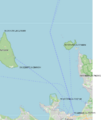 The map and some coordinates
 -
 The map shall be transformed to photo


The position of vessels on a photo.
Software
- rtl_ais -n -> parser -> database
- Ship162 is nice
ship162 --interactive rtlsdr:// - AIS-catcher https://github.com/jvde-github/AIS-catcher COULDN't get working
- GNU AIS is old, GNU radio is newer but rather heavy.
AIS Data format
My AIS data looks like following
AISSentence<!AIVDM,1,1,,A,147MT`00011i6jpR1JV@97nj0D1v,0*1E>
AISSentence<!AIVDM,1,1,,A,147>aD0P?w<tSF0l4Q@>4?wp0UrD,0*62>
AISSentence<!AIVDM,1,1,,B,347eHF5000QiHiHR0u;ooiFj2000,0*41>
AISSentence<!AIVDM,2,1,3,A,547GF<81AcKHE=`4001@58lt000000000000001J5@c;;uGa0@25CQ2D,0*50
!AIVDM,2,2,3,A,1@@000000000000,2*26>
AISSentence<!AIVDM,1,1,,A,147sn80000Qi9N4R1JV=r16n04HH,0*17>
AISSentence<!AIVDM,2,1,4,B,5482L002;29tE<iR221HDM@TpB2222222222220`1P>3540003l0E0DQ,0*35
!AIVDM,2,2,4,B,BO@AAkPH8888880,2*1D>
AISSentence<!AIVDM,1,1,,B,1480bf0P001i5A`R1IRP>gvt0d1t,0*62>
AISSentence<!AIVDM,1,1,,B,33ni`v5P00Qi5BpR1I1@6wwj0000,0*69>
AISSentence<!AIVDM,1,1,,A,402`m?1vaT36WQieB8R3TQ?02L5V,0*53>
so there are extra texts, like AISSentence< which needs to be removed. The multipart message is partly combined already. The first 1 or 2 describe how many parts the message is divided into, A and B describe the channel, and the last part is the message.
The cleaned AIS data looks like:
!AIVDM,1,1,,A,147MT`00011i6jpR1JV@97nj0D1v,0*1E
!AIVDM,1,1,,A,147>aD0P?w<tSF0l4Q@>4?wp0UrD,0*62
!AIVDM,1,1,,B,347eHF5000QiHiHR0u;ooiFj2000,0*41
!AIVDM,2,1,3,A,547GF<81AcKHE=`4001@58lt000000000000001J5@c;;uGa0@25CQ2D,0*50
!AIVDM,2,2,3,A,1@@000000000000,2*26
!AIVDM,1,1,,A,147sn80000Qi9N4R1JV=r16n04HH,0*17
!AIVDM,2,1,4,B,5482L002;29tE<iR221HDM@TpB2222222222220`1P>3540003l0E0DQ,0*35
!AIVDM,2,2,4,B,BO@AAkPH8888880,2*1D
!AIVDM,1,1,,B,1480bf0P001i5A`R1IRP>gvt0d1t,0*62
!AIVDM,1,1,,B,33ni`v5P00Qi5BpR1I1@6wwj0000,0*69
!AIVDM,1,1,,A,402`m?1vaT36WQieB8R3TQ?02L5V,0*53
https://open-ais.org/docs/Data-Architecture/
https://gpsd.gitlab.io/gpsd/AIVDM.html
Data acquisition
USE RTL-AIS, ship162 (https://github.com/xoolive/ship162) project and Python, with tape measure antenna.
Or GNU AIS saves the data to local MySQL server.
rtl_ais
Sqlite3 database
CREATE TABLE ais_data (
    id INTEGER PRIMARY KEY AUTOINCREMENT,
    ts DATETIME DEFAULT CURRENT_TIMESTAMP,
    mmsi INTEGER,
    msg_type INTEGER,
    lat REAL,
    lon REAL,
    sog REAL,
    cog REAL,
    heading REAL,
    shipname TEXT,
    raw TEXT
);
Use it eg from the command line: sqlite3 ais.db "SELECT COUNT(*) FROM ais_data;".
The following code AIS Save to database using Python will save the data.
Vessel data
Create one simple database to include some more static data. However, the name might change but this will not take that into account.
AIS Type 5 (Ship Static and Voyage Related Data) provides the core vessel identity and voyage information. The data items typically included are:
- MMSI -> mmsi
- Vessel name -> name (sometimes vessel_name depending on dataset)
- IMO number -> imo (The permanent, unchanging identifier for vessels worldwide)
- Call sign -> callsign (sometimes call_sign)
- Vessel type (ship type code) -> shiptype (sometimes type_id)
- Cargo type -> cargo_type
- Length overall (LOA) -> length
- Beam -> width
- Gross tonnage -> gt
- Net tonnage -> nt
- Destination -> destination
- Estimated Time of Arrival (ETA) -> eta
- Draft -> draught (or draft)
- Vessel status / navigational status -> nav_status (or navig_status)
'Flag state (nation) -> flag
- Owner -> owner
- Route / voyage number -> voyage_id or voyage (depends on dataset)
 CREATE TABLE IF NOT EXISTS vessels (
mmsi INTEGER NOT NULL,
name TEXT,
flag TEXT,
shiptype INTEGER,
shiptype_name TEXT,
callsign TEXT,
length REAL,
width REAL,
gt REAL,
nt REAL,
draught REAL,
timestamp DATETIME DEFAULT CURRENT_TIMESTAMP,
PRIMARY KEY (mmsi)
);
Transform
Some ideas to generate the transformation. Full camera projection is not needed here.
The latitude/longitude scale is not a linear measure. Thus, to a conversion to metric scale is better. UTM projection (pyproj) or using a local tangent plane. The UTM projection works better for this 10-20 km distances.
Plan
The coordinate system of the map is WGS84 EPS:4326 to EPSG:32635.
The mapping and ideas
- Get the mapping ship's GNSS coordinates to image coordinates
- Convert GNSS coordinates to UTM and then to metric points. Change the origin such that the metric numbers are reasonable.
- Find the corresponding pixels at the photo image.
- Compute homography matrix
- For testing purposes plot the GNSS value on the map.
- Create other homology mapping between GNSS coordinates and the map
The rubber-sheet transformations used in GIS to align historical maps with modern ones.
Some methods:
- Landmark-based warping. Solve for a smooth warp that exactly matches those landmarks, eg Thin Plate Splines (TPS), Radial Basis Functions (RBF) or Moving Least Squares (MLS).
- Piecewise mesh deformation. Triangulate the original map, move the vertices and interpolate inside each triangle. Piecewise quadratic or cubic patches: Instead of linear interpolation inside each triangle, use Bézier triangles, Clough–Tocher split or Powell–Sabin splines. Moving Least Squares (MLS): Each landmark influences nearby points with a weight w. Advantages: beautifully smooth, intuitive, local edits remain local and used in many image-editing applications. Thin Plate Splines (TPS) minimizes the bending energy. As-Rigid-As-Possible (ARAP)
- Displacement field. Mapping F(x,y) = (x,y) + ( u(x,y), v(x,y) ). Create u,v from eg Perlin noise, Gaussians, RBFs or hand-painted vector fields. For example, a "magnifying glass" is simply a radial displacement.
- Deformation energies. Eg minimize angle distortion, area distortion, edge length distortion, bending energy subject to landmark constraints.
- Complex analysis (Conformal mappings). Examples Möbius transforms or Schwarz-Christoffel maps.
- Compose many local transformations: every "special effect" is its own mapping.
- Vector field editing: Draw arrows indicating where points should move, Interpolate those arrows into a smooth vector field and Integrate the field to obtain the mapping.
- Harmonic mappings: Solve Laplacian with boundary conditions and landmark constraints.
To enforce bijectivity (or at least monitor the Jacobian determinant) if every point in the original must map to a unique point in the destination.
Lens functions: r′=r+Ae−r2/σ or r′=r(1+ke−r2/σ2).
UTM projection
The latitude/longitude scale is not a linear measure. Thus, to a conversion to metric scale is better. UTM projection (pyproj) or using a local tangent plane. The UTM projection works better for this 10-20 km distances.
# WGS84 GPS -> UTM zone 35N
transformer = Transformer.from_crs(
    "EPSG:4326",
    "EPSG:32635",
    always_xy=True
)


gps_points = np.array([
[59.4480442,24.7727679],
[59.4720746,24.7267166],
[59.5183884,24.7962952],
[59.5226077,24.5841614],
[59.5770763,24.7294084]
])

utm_points = []
for lon, lat in gps_points:
    x, y = transformer.transform(lon, lat)
    utm_points.append([x, y])

x0, y0 = utm_points[2]
local_points = []
for x, y in utm_points:
    local_points.append([x - x0, y - y0])

print(local_points)
Homology
https://docs.opencv.org/4.x/d9/dab/tutorial_homography.html
The simplest;
Should have some 10-50 corresponding pairs to get the mapping correct. Use least squares or SVD, but OpenCV works with RANSAC.
Non rigid spatial warp
Thin plate spline, where and
Automated and timed posting
Local debugging: a local server
Modern browsers intentionally block JavaScript from loading local files via fetch() because of the Same Origin Policy. The solution: use a web server. The easiest way is with Python:
python3 -m http.server 8000
Then open
http://localhost:8000/index.html
Copy the files to remote server
Use ssh key gen to generate pass phrases.
Create the service
sudo nano /etc/systemd/system/dashboard-image.service.
[Unit]
Description=Generate dashboard image

[Service]
Type=oneshot
User=ais
WorkingDirectory=/home/ais/omaAIS
ExecStart=/home/ais/omaAIS/bin/python /home/ais/omaAIS/display_vessels_linedb1.py
Create the timer sudo nano /etc/systemd/system/dashboard-image.timer
[Unit]
Description=Run dashboard image every 5 minutes

[Timer]
OnCalendar=*:0/5
Persistent=true
Unit=dashboard-image.service

[Install]
WantedBy=timers.target
Reload systemd sudo systemctl daemon-reload
Enable and start the timer sudo systemctl enable --now dashboard-image.timer
Test the service manually sudo systemctl start dashboard-image.service Check output:
journalctl -u dashboard-image.service -n 50 --no-pager.
Stop/disable later if needed sudo systemctl disable --now dashboard-image.timer.
Vessel Images
Dimensions of the images
Browser
- Original
- Large: 850 px
- Thumbnail 1: 140 px
- Thumbnail 2: 300 px
- Tiny: 71px
Mobile
- Original
- Large: 400 px
- Thumbnail 1: 560 px
- Thumbnail 2: 260 px
- Tiny: 100 px
Thus, the images to be saved are
- ORIGINAL jpg
- large/ 1200 px WebP
- medium/ 400 px WebP
- thumbnail/ 200 px WebP
- tiny/ 100 px WebP
Using the scripts
- Copy the file to ToImport directory
- Run
python review_import.py. This creates/updates the database record, but does not move the image. - Run
python import_image.py. Takes that approved database record and performs the physical import. Then it updates the record:review_status = imported. - Run
python sync_photos.py
Review_import.py
        │
        ├── identifies vessel
        ├── photographer
        ├── licence
        ├── pending / approved
        │
        ▼
     images.db
        │
        │ approved records only
        ▼
import_images.py
        │
        ├── create vessel directory
        ├── copy original
        ├── create medium
        ├── create thumbnail
        ├── update database
        └── leave source untouched or move it later
Data flow: idea
                  PHOTOGRAPH
                       │
                       ▼
                ┌─────────────┐
                │   Review    │
                └──────┬──────┘
                       │
            ┌──────────┼───────────┐
            │          │           │
            ▼          ▼           ▼
         Known      MMSI        Completely
         vessel     unknown       unknown
            │          │           │
            ▼          ▼           ▼
         NORDEA     SEA STAR     Unknown
         276001930   NULL          NULL
            │          │           │
            └──────────┼───────────┘
                       ▼
                   images.db
                       │
                       ▼
                  later review
                       │
                       ▼
                  MMSI becomes
                     known
review_status
- pending → waiting for review
- approved → accepted by reviewer
- rejected → rejected by reviewer
                    review_import.py
                          │
             ┌────────────┼────────────┐
             │            │            │
          APPROVE      REJECT      POSTPONE
             │            │            │
             ▼            ▼            ▼
          approved     rejected     pending
             │            │            │
             └────────────┼────────────┘
                          │
                       images.db
                          │
                          ▼
                   import_images.py
                          │
             ┌────────────┼────────────┐
             ▼            ▼            ▼
          Vessels/     Rejected/    ToImport/
                    LOCAL COMPUTER
        ┌───────────────────────────┐
        │ photos + vessels.db       │
        │ images.db                 │
        │ EXIF/IPTC/XMP             │
        │ thumbnails                │
        │ duplicate detection       │
        └─────────────┬─────────────┘
                      │
                      │ sync
                      ▼
                 WEB SERVER
        ┌───────────────────────────┐
        │ images                    │
        │ thumbnails                │
        │ vessel web interface      │
        └───────────────────────────┘
Have also a ToImport folder.
Image folder structure
Photos/
│
├── ToImport/
│   ├── NORDEA/
│   │   ├── IMG_001.jpg
│   │   └── IMG_002.jpg
│   │
│   └── VIKINGBANK/
│       └── DSC_1234.jpg
│
├── Unassigned/
│   ├── IMG_1001.jpg
│   ├── IMG_1002.jpg
│   └── IMG_1003.jpg
│
└── Rejected/
│
└── Vessels/
    ├── 276001930/
    │   ├── original/
    │   ├── medium/
    │   └── thumb/
    │
    └── 244855000/
        ├── original/
        ├── medium/
        └── thumb/
Database
And images.db contains
images
- id
- mmsi
- filename
- original_filename
- sha256
- photographer
- copyright
- license
- date_taken
- width
- height
- thumbnail_filename
- medium_filename
- uploaded
- upload_date
- created_at
- updated_at
ToImport/230123456_IMG001.jpg
- calculate SHA256
- check duplicate
- copy original
- create thumbnail
- extract EXIF
- insert into images.db
and finally moves the original out of ToImport
Put the information into the image's EXIF/IPTC/XMP metadata.
Maybe make the thumbnail 400–600 px wide.
Once images.db has uploaded = 0 your Python script can periodically do:
SELECT * FROM images WHERE uploaded = 0 Then send the image + metadata to your JS server. After successful upload: uploaded = 1 If the Internet is down: uploaded = 0 and nothing is lost. You just run the uploader again later. I'd actually make it a sync, rather than a one-time upload: python sync_images.py It checks: "Which local images don't exist on the server?" and uploads those.
import sqlite3

DB_FILE = "images.db"

conn = sqlite3.connect(DB_FILE)
cur = conn.cursor()

cur.execute("""
CREATE TABLE photographers (
    id INTEGER PRIMARY KEY AUTOINCREMENT,
    name TEXT NOT NULL,
    email TEXT,
    website TEXT,
    copyright TEXT,
    default_license TEXT,
    notes TEXT
)
""")

cur.execute("""
CREATE TABLE images (
    id INTEGER PRIMARY KEY AUTOINCREMENT,

    -- Vessel identification
    mmsi INTEGER NOT NULL,

    -- Original file
    filename TEXT NOT NULL,
    original_filename TEXT,
    original_path TEXT NOT NULL,

    -- Web versions
    tiny_path TEXT,
    thumbnail_path TEXT,
    medium_path TEXT,
    large_path TEXT,

    -- File identification
    sha256 TEXT NOT NULL UNIQUE,
    filesize INTEGER,
    width INTEGER,
    height INTEGER,

    -- Photographer / copyright
    photographer_id INTEGER,
    copyright TEXT,
    license TEXT,

    -- Photograph information
    taken_at TEXT,
    latitude REAL,
    longitude REAL,
    description TEXT,

    -- Upload/synchronisation
    uploaded INTEGER NOT NULL DEFAULT 0,
    uploaded_at TEXT,
    server_id TEXT,

    -- Administration
    created_at TEXT NOT NULL DEFAULT CURRENT_TIMESTAMP,
    notes TEXT,

    FOREIGN KEY (photographer_id)
        REFERENCES photographers(id)
)
""")

cur.execute("""
CREATE INDEX idx_images_mmsi
ON images(mmsi)
""")

cur.execute("""
CREATE INDEX idx_images_photographer
ON images(photographer_id)
""")

cur.execute("""
CREATE INDEX idx_images_uploaded
ON images(uploaded)
""")

conn.commit()
conn.close()

print(f"Database created: {DB_FILE}")
review_images.py
- vessels.db contains your vessels table.
- images.db contains the images table we created.
- images_vessels/ToImport/ contains vessel-named folders.
- Folder names are matched to vessel names case-insensitively.
- A folder may contain several images.
- The reviewer creates missing images.db records automatically.
- SHA256 is used to identify images.
- Nothing is moved or copied.
- Approve All updates every pending image in the folder.
- Postpone leaves everything pending.
- Photographer and licence are remembered.
- Existing photographers are suggested.
- Multiple vessel matches have individual VesselFinder links.
- A selected thumbnail is displayed larger.
- The folder itself is the review unit.
Import_images
This version:
- imports only approved records
- uses the MMSI from the database
- creates original, medium, and thumbnails
- never enlarges small images
- preserves the original file unchanged
- verifies SHA256 before importing
- is safe to run repeatedly
- updates the DB only after successful file creation
- does not move/delete anything from ToImport
- reports clearly what it did
Rsync
Online image server
The online image database is not a database, but relies on a json file, eg photos.json and when AIS data gives an MMSI,
const vessel = photos[mmsi];


if (vessel) {
    // This vessel has photographs.
}


